
Regions make big boards easier to revisit
Large boards are useful because they let a project spread out. Regions make that space easier to return to, letting you save areas on the canvas and jump back to specific themes, features, or short project sections without breaking the board into smaller pieces.
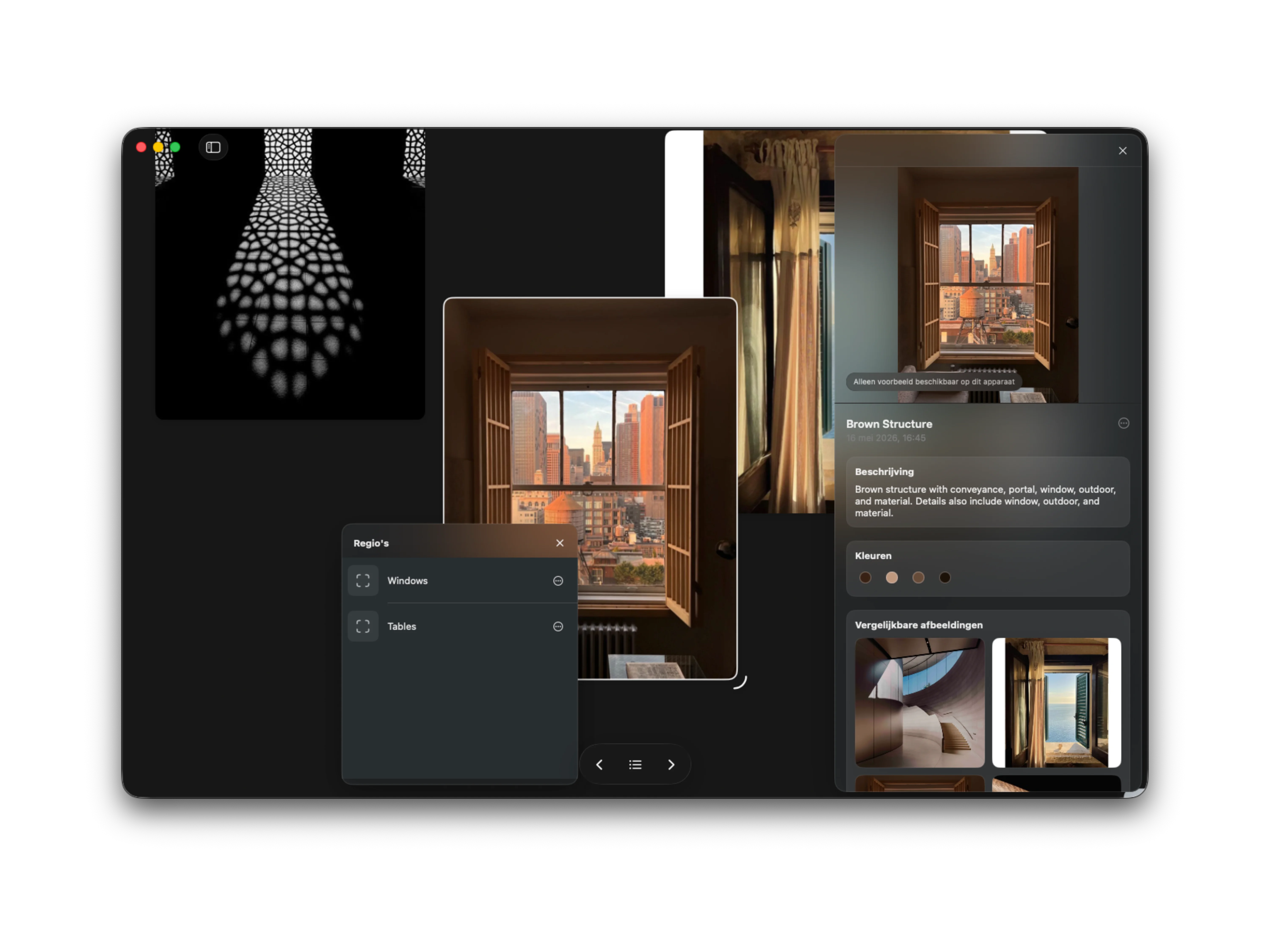
A map for the canvas
The more useful a board becomes, the easier it is to lose your place inside it. A few saved images turn into a cluster. A cluster turns into a direction. Then, without really noticing, the board has become a small landscape of moods, features, notes, details, and half-finished thoughts.
Regions are a way to give that landscape a little more memory. You can save an area on the canvas, name it, and jump back to it later. Instead of zooming out, scanning around, and trying to remember where a particular group lives, the board can take you straight there.
It is a small navigational feature, but it changes the feeling of a large canvas. The space can stay open without becoming harder to move through.
Group themes without filing them away
Moodboards often make more sense when they stay in one place. A color direction might belong near a material study. A product detail might sit close to a typography reference because the relationship between them still matters. Splitting those things into separate boards can make them cleaner, but it can also make the project feel less connected.
Regions are meant for that middle ground. They let you group parts of a board by theme, feature, scene, or short project section while keeping everything on the same canvas. You can have one region for a visual direction, another for interface details, another for references that only make sense for a specific part of the project.
The point is not to turn the board into a folder system. It is to make the parts you already have easier to return to.
Faster returns to the right thought
Creative work involves a lot of returning. You come back to a board after a meeting, after a walk, after saving something new, or after the project has changed shape a little. The faster you can get back to the right area, the less momentum you lose on the way there.
That is where Regions are most useful. They make it easier to move from the whole project to the exact part you need: a feature idea, a styling direction, a small moodboard, or a temporary cluster for something you are still figuring out.
Reference has always been about keeping visual thinking close to the surface. Regions add another layer to that idea: a way to make big boards feel navigable without making them feel smaller.