
OCR makes the smallest details searchable
A lot of what makes an image useful is not the whole image. It is the little thing inside it you happened to notice: a brand mark, a line of copy, a type treatment, a label on a bottle. OCR in Reference is built for those moments, quietly turning overlooked details into something you can actually find again later.
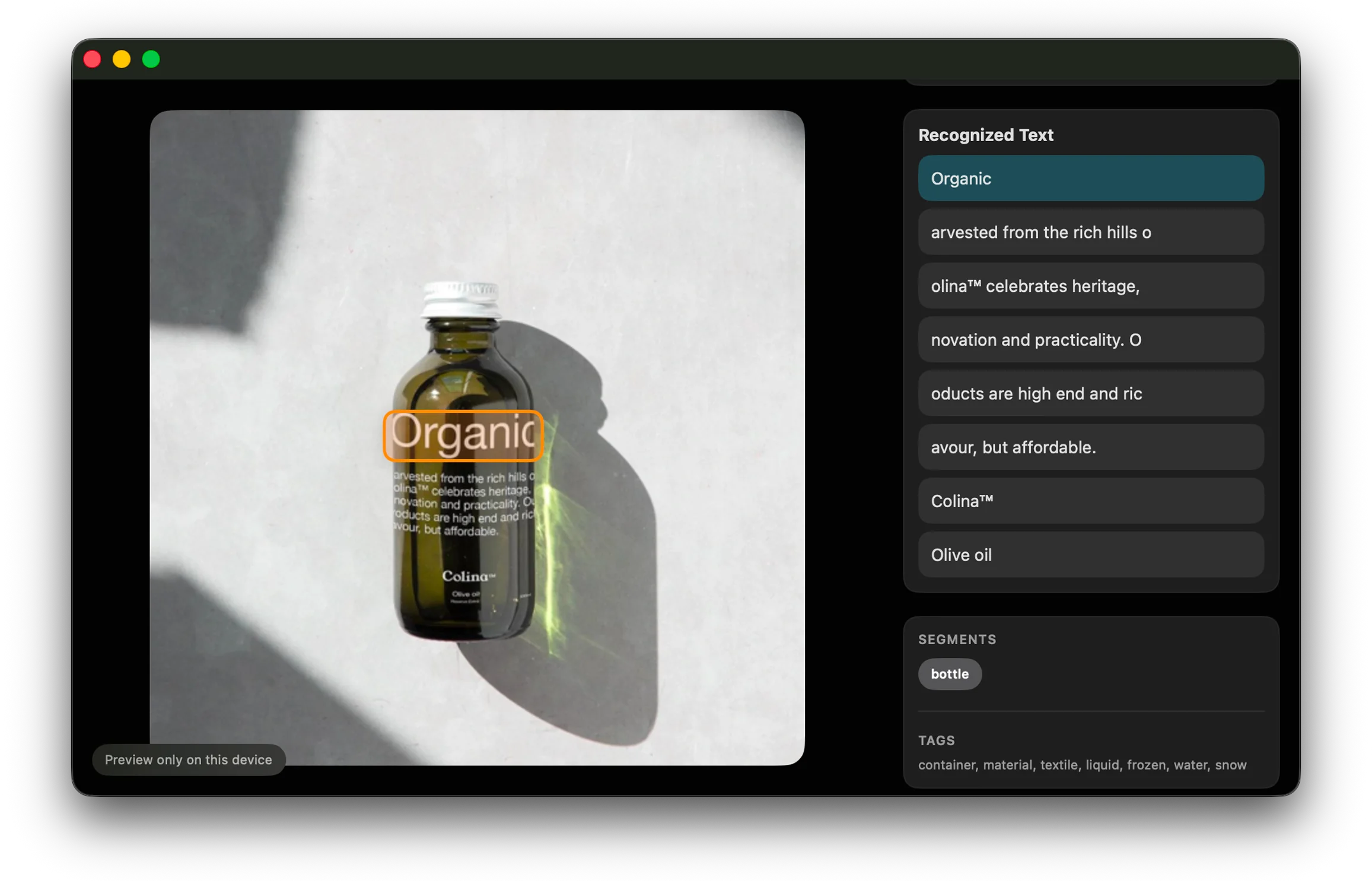
Text, quietly indexed
Reference now reads visible text inside your saved images automatically, which means the app can remember details you probably were not thinking about when you hit save. That may be a headline, a product label, a bit of signage, or a tiny piece of typography that felt important in the moment and then vanished into the board later.
This is one of those features that sounds technical until you use it in a real workflow. Then it just feels obvious. Of course the title on the poster should be searchable. Of course the word on the packaging should help you get back to the image. Of course the app should remember the details you only half remember yourself.
By indexing text in the background, Reference becomes better at preserving the reasons an image was useful, not just the image itself.
Useful memory, not just more metadata
The key is that this does not ask you to do extra work. You are not expected to tag every asset by hand or maintain a perfect filing system. The app picks up context while you keep collecting.
That makes OCR feel less like a productivity feature and more like a memory feature. It helps the library stay legible even after it has grown large enough that you would normally start forgetting what is in it.